Guide
Vellum alternatives for Windows
Vellum only runs on macOS. Its site lists macOS 13 or newer and says Vellum is only available for Mac; there is no Windows version. If you write on a PC, these are the realistic ways to get a KDP paperback interior and an ebook out of your manuscript.
| Tool | Runs on | Price | Paperback PDF | Ebook |
|---|---|---|---|---|
| Vellum (for reference) | macOS 13+ only | $249.99 once (Press, print and ebook); $199.99 (Ebooks only) | Yes, with Press | Yes |
| Microsoft Word + KDP templates | Windows, Mac | Free templates; Word itself is paid | Yes, by hand | Upload the .docx to KDP |
| Kindle Create | Windows, Mac | Free from Amazon | Yes, with limits (below) | Yes (KPF for KDP) |
| Atticus | Windows, Mac, Linux, Chromebook, browser | $147 once | Yes | Yes (EPUB) |
| Reedsy Studio | Browser | Free (paid add-ons for writing extras) | Yes | Yes (EPUB) |
| Bookcut (mine) | Browser, Windows or Mac | $12 once per book | Yes, KDP-sized | Yes (EPUB 3) |
Sources: vellum.pub, atticus.io, reedsy.com/studio, KDP Help on Kindle Create paperbacks, KDP paperback templates. Prices change; check before you buy.
Microsoft Word and KDP's templates
If you already pay for Word, this costs nothing extra and gives you full control. KDP's templates come with the page size and margins set for each trim size. The work is in the details: mirror margins, section breaks so chapters start on the right page, page numbers that skip the front matter, and a PDF with every font embedded. I wrote the whole sequence in how to format a Word manuscript for a KDP paperback.
Good for: one book, a patient afternoon, simple layouts. Harder: typographic polish (Word justifies each line without hyphenation unless you turn it on, so justified lines can turn loose) and keeping the print and ebook versions in sync.
Kindle Create
Amazon's free app for Windows and Mac prepares an ebook and a paperback from the same manuscript, works out margins itself and adds page numbers. KDP's help lists real limits for paperbacks: no tables, footnotes or endnotes, no images that bleed to the page edge, no bleed books, and you can't change the margins, the font or the font size. If your book is plain prose and you like the default look, it is the cheapest route. If it has footnotes, it isn't an option.
Atticus
The closest thing to Vellum on Windows: a formatting and writing app that runs on Windows, Mac, Linux and Chromebook (and in a browser), with print and ebook output and themes you can customize. It is $147 once, including updates. Worth it if you will publish several books and want a lot of control over the theme.
Reedsy Studio
A free browser editor from Reedsy that typesets to PDF and EPUB. You write or paste the book into it, pick a theme and export. Free makes it a sensible first stop; the trade-off is that the manuscript lives in Reedsy's online editor and you choose from its set of layouts.
Running Vellum on a rented Mac
Some authors on Windows run Vellum on a cloud Mac service by the hour. It works, but you still need a Vellum license on top of the rental, and the remote desktop adds lag. It makes most sense if you are set on Vellum's look.
Bookcut
I built Bookcut for authors with one finished Word manuscript who don't want to learn a design app or buy a license for a single book. It reads your .docx in the browser, detects chapters, front matter and scene breaks, and typesets every page with real book typography: four interior designs, hyphenation, running heads, and no single stray lines at the top or bottom of a page. KDP's margin table for your page count is applied automatically and checked on the real layout.
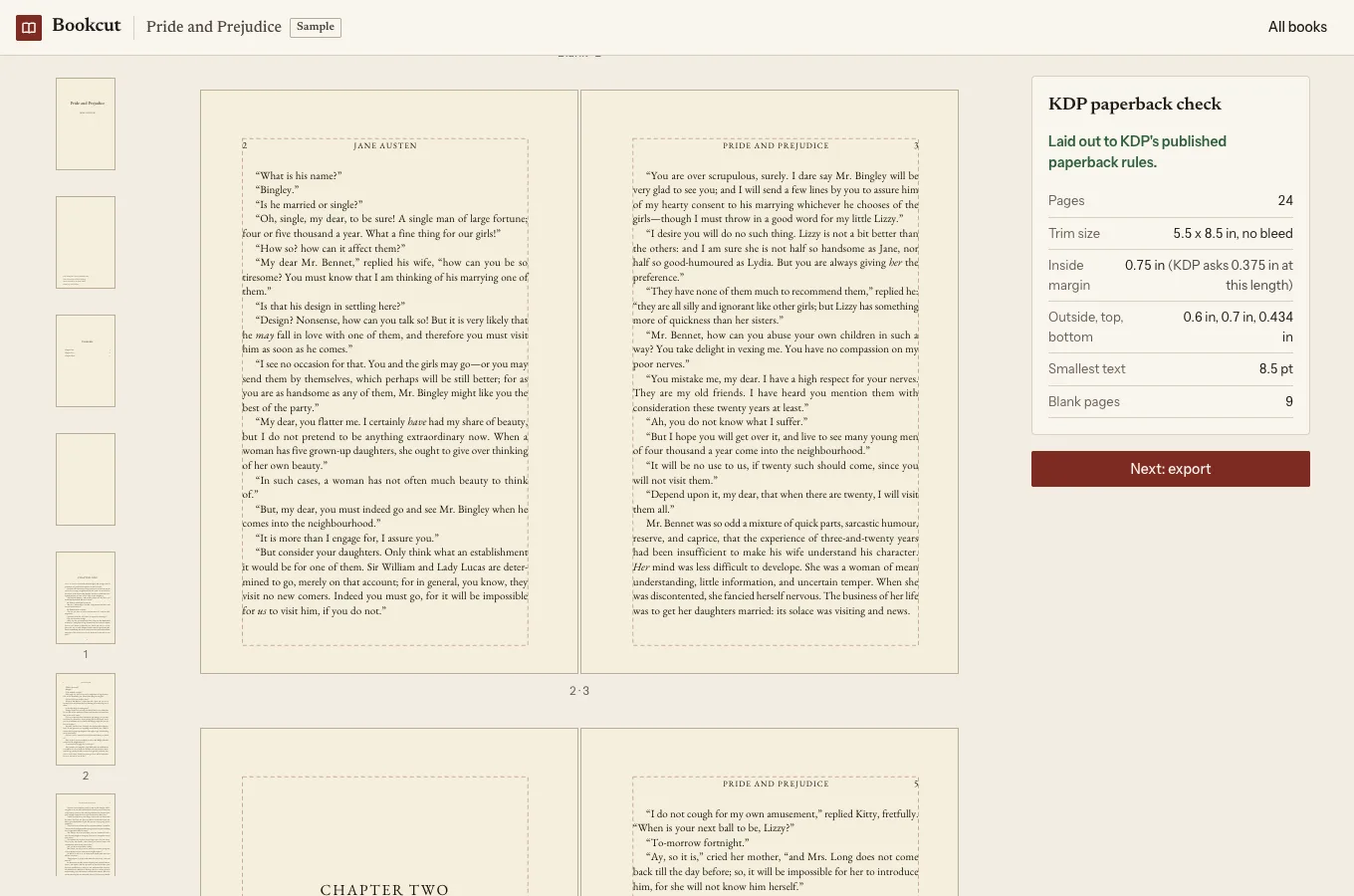
What it doesn't do: images are dropped on import and tables are flattened to text, so it suits novels, memoirs and text-led nonfiction, not cookbooks or picture books. Covers are made elsewhere (KDP's Cover Creator works). Preview is free, and so is a watermarked PDF of your first chapter to print and check. The clean print PDF and the EPUB are $12 once for that book, with free re-exports for 30 days.
How to choose
- Plain prose, no footnotes, happy with Amazon's look: Kindle Create.
- You own Word and enjoy fiddling: Word with KDP's template.
- Several books, want many themes and a writing app too: Atticus.
- Want free and don't mind an online editor: Reedsy Studio.
- One finished .docx, want a typeset book and an EPUB today without a license: Bookcut.
Or let Bookcut do the setup
Bookcut reads the .docx you wrote the book in, finds the chapters and front matter, and typesets every page at your trim size with KDP's margin table for your page count already applied. You can look at every page free, and download your first chapter as a PDF to print at home (it has a light "Preview" watermark). When it looks right, the clean print PDF and an EPUB are $12, once for that book. It runs in your browser; the manuscript isn't uploaded.
Open Bookcut